The project
MinimalDS started as a way to show what I do to the Figma community: a public design system any designer could download and build on. The aim was a system that keeps maintenance to a minimum while still giving designers usable, customisable, well-structured assets.
It grew into two things that share one source of truth. The Figma library holds the design. The documentation site turns the same tokens into living components, so what you see in Figma is what renders in the browser.
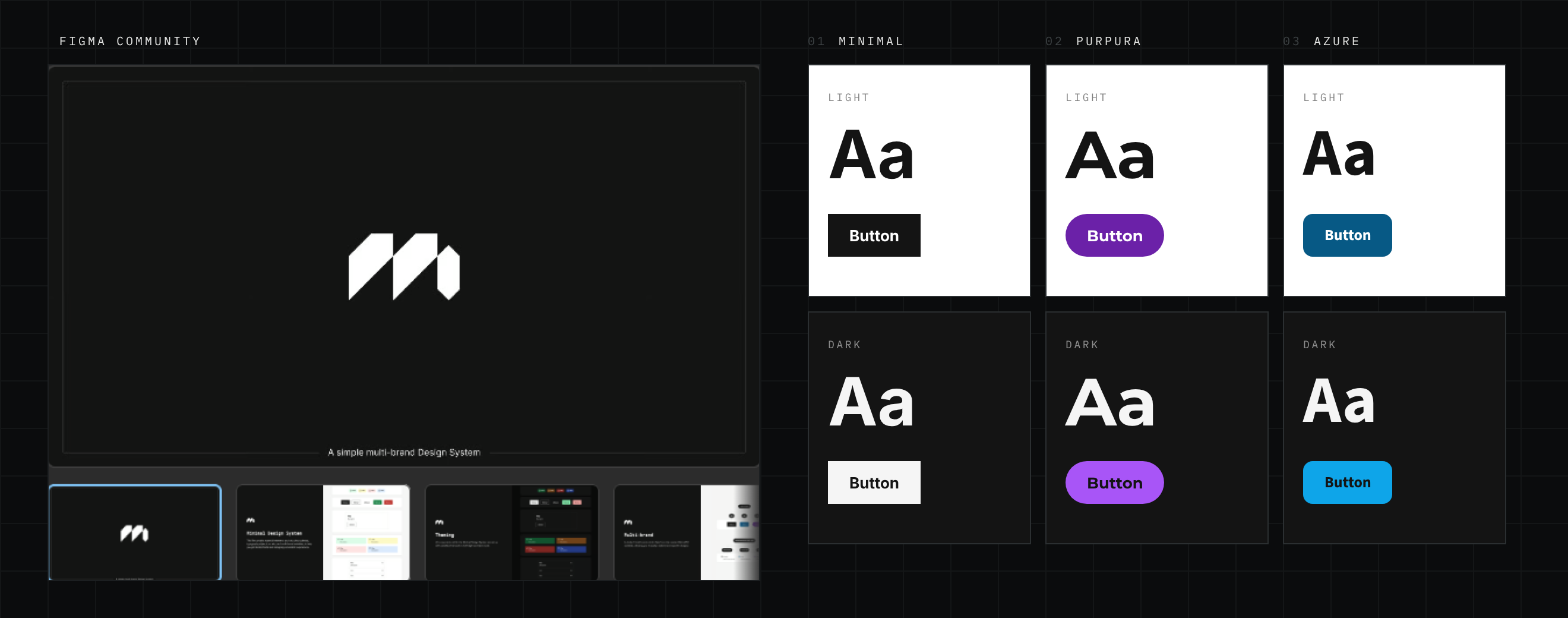
It started as a Figma library
The system was designed in Figma first and published to the Figma Community. Every colour, space, radius and text value is a variable, organised into groups that read like a specification: colour by role (surface, text, icon, border and seven interactive sets), radius, border width, component and layout spacing, and type.
Brands and themes are modes rather than copies. Switch a frame from Minimal to Purpura or Azure, or from light to dark, and every component inside it restyles. There’s nothing to detach or duplicate when a brand changes.
Foundations first
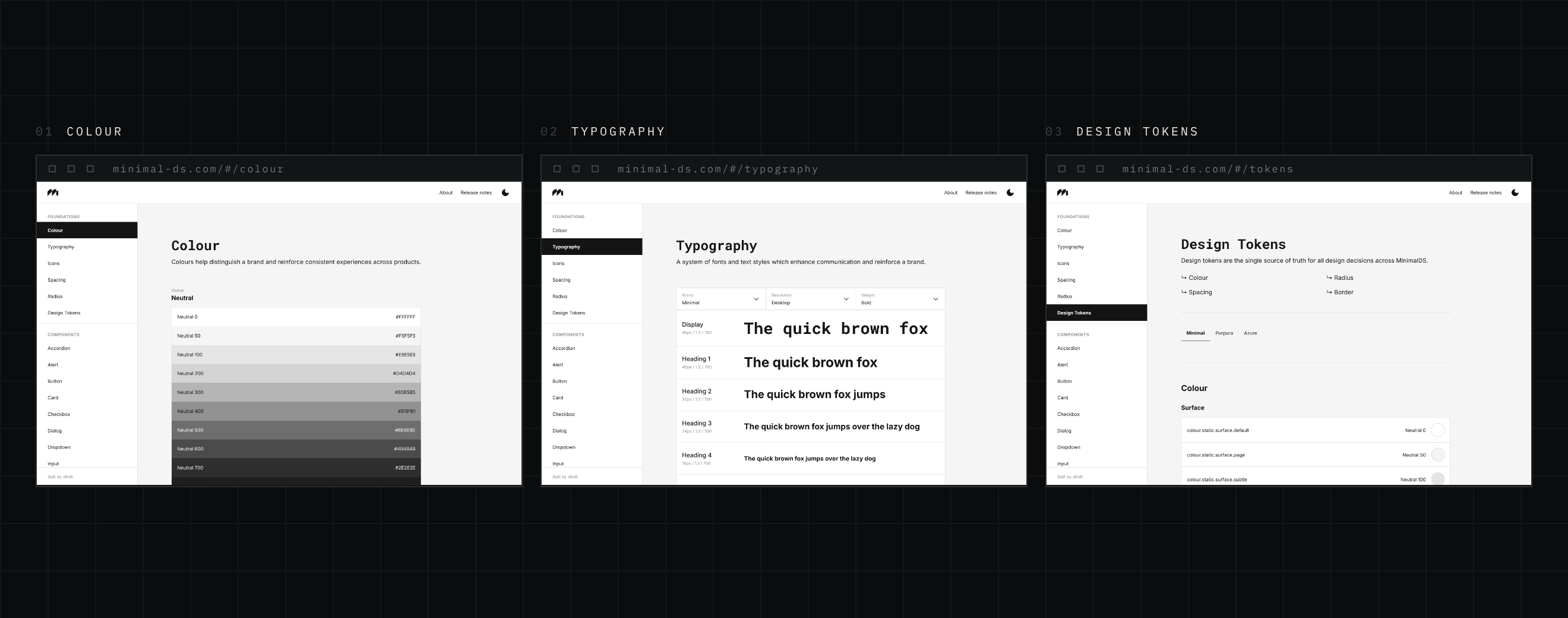
Before any component, the site documents the foundations it’s built from: Colour, Typography, Icons, Spacing, Radius and Design Tokens. Each page shows the real values, with controls or tabs to compare the three brands, and Typography switches between the desktop and mobile scales.
The type scale is responsive by design. Figma holds desktop and mobile sizes as separate variables. On the site they resolve through one set of names that change at 768px, so a heading never needs a brand-specific or screen-specific rule.
Tokens drive everything
The Figma variables become a single CSS file. It defines the same token names six times, once for each brand and mode, and keeps the names from the Figma export so design and code always speak the same language.
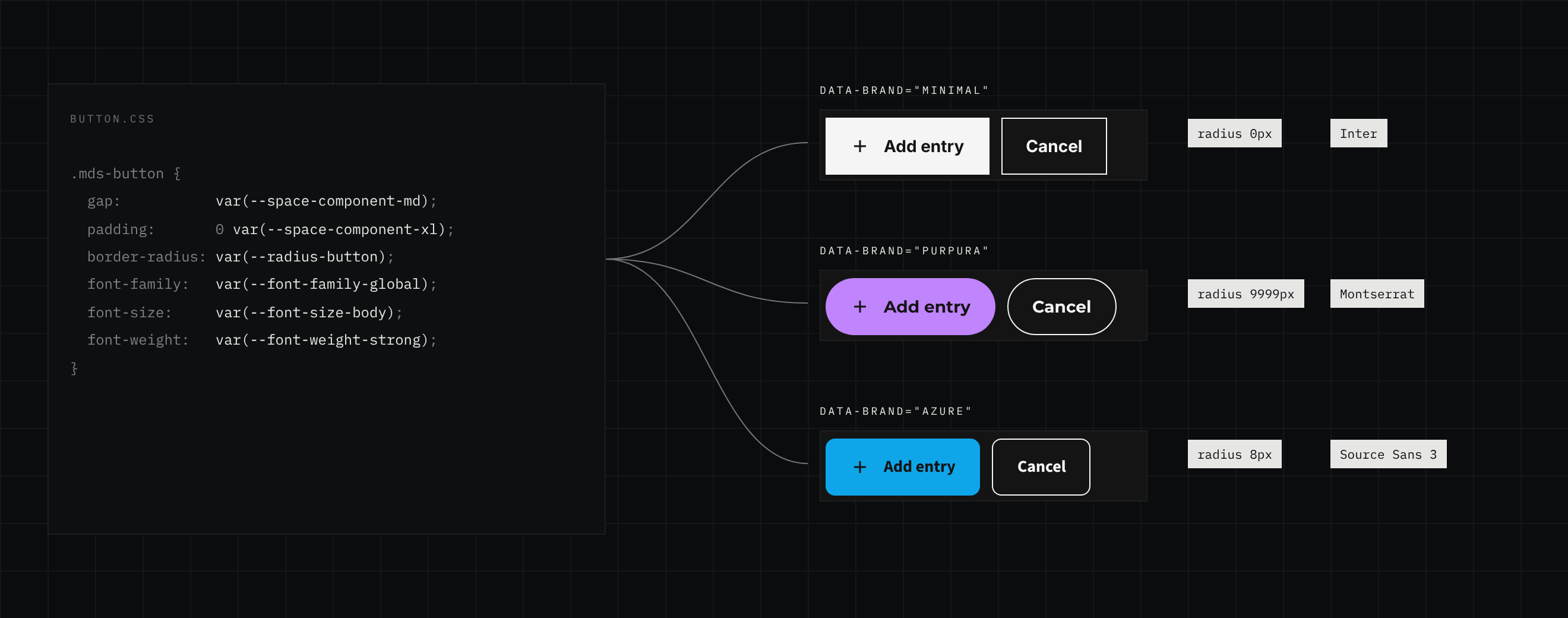
The one rule that makes it work: component styles reference tokens, never values. Across 26 component stylesheets there are 572 token references and not one literal colour. A hard-coded value would be right in one theme and wrong in the other five, so it’s treated as a bug.
Three brands, one set of components
Each brand has its own personality, and all of it lives in tokens. Minimal is sharp and monochrome, with square corners, Inter and a Roboto Mono display face. Purpura is soft and expressive: Montserrat, pill-shaped buttons and inputs, and a deep purple. Azure sits between them, with Source Sans 3, gently rounded corners and a sky blue.
The components below are the same code in all three brands, shown here in dark mode. Only the tokens change.
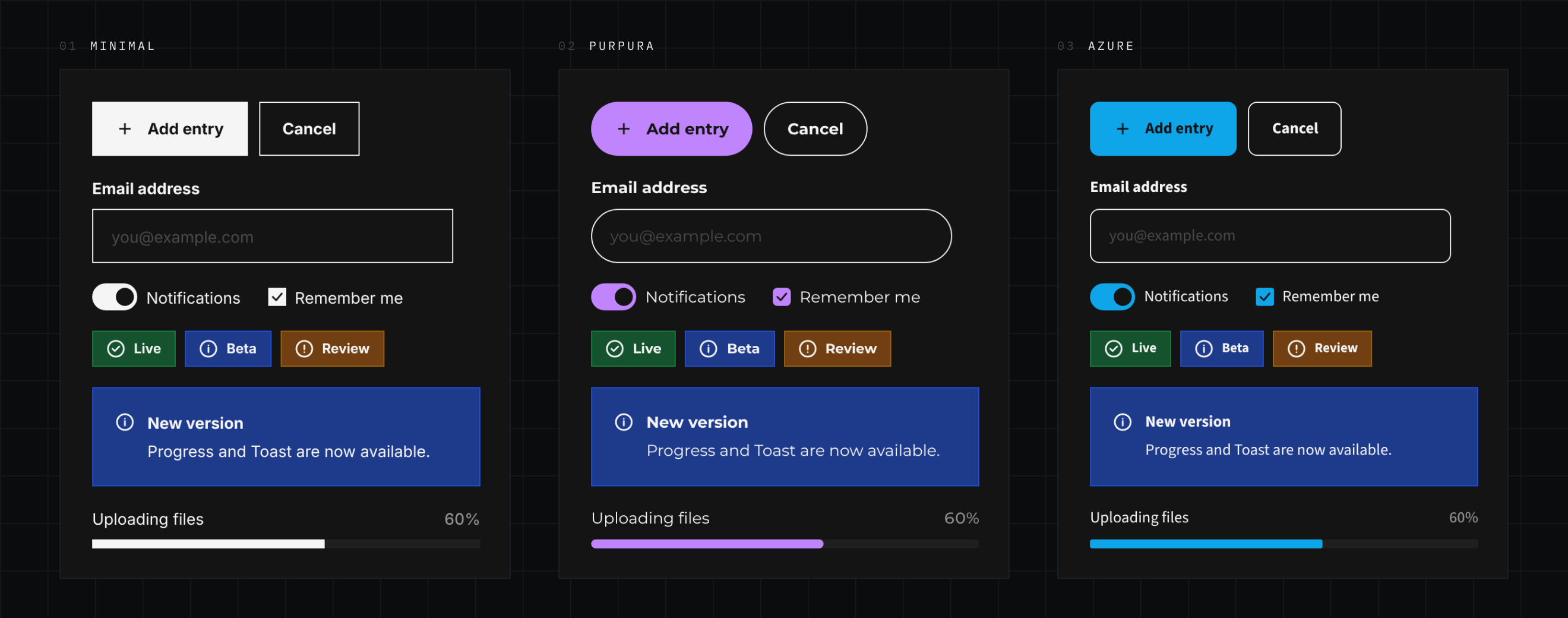
Brand lives in the tokens
Typeface, corner radius, brand colour and interactive states are all tokens. Adding a fourth brand means writing one more block of values, not touching a component.
Dark mode isn’t an afterthought
Every brand was designed in light and dark from the start, in Figma and on the site, so all three keep their character at night instead of being inverted.
Every page, the same anatomy
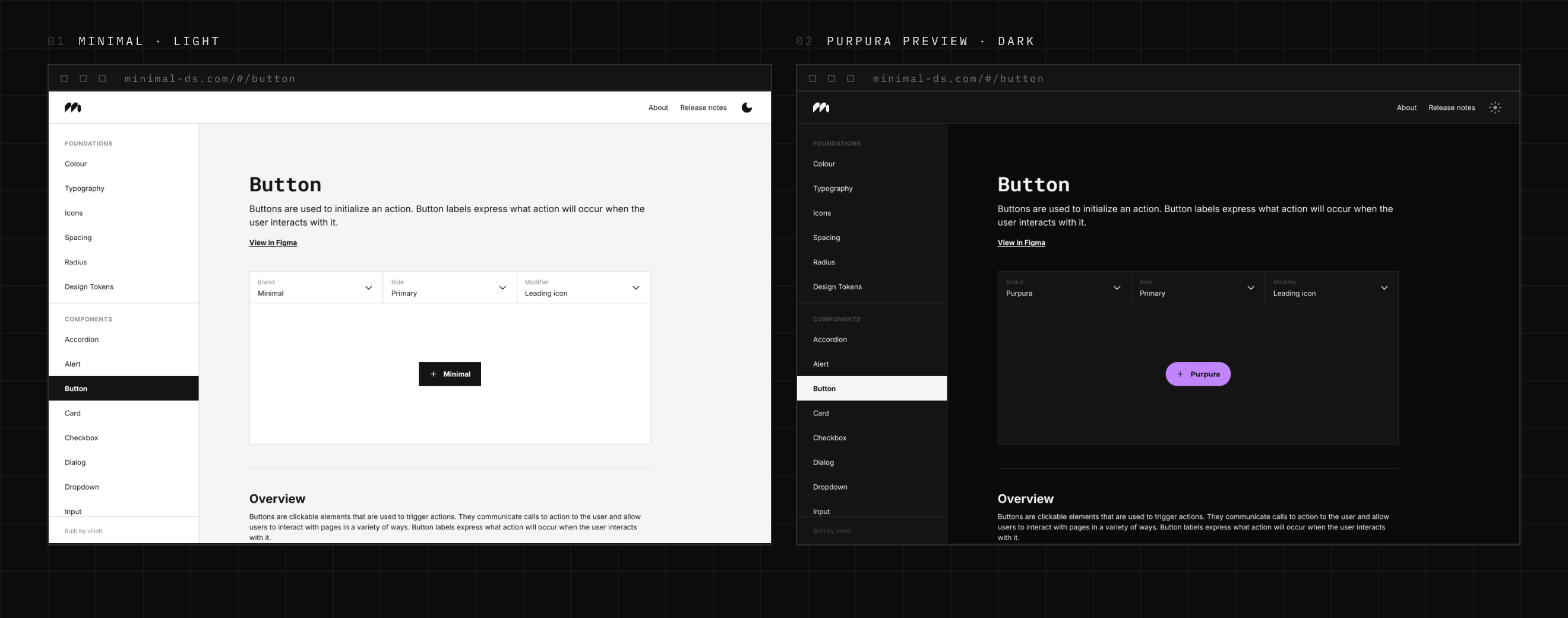
I designed the documentation pages in Figma before any were built. Every component page follows the same order: a header with a link to the Figma frame, a live preview with dropdown controls (Brand is always first), an overview, then usage guidelines in a green “when to use” and red “when not to use” pair, and finally the component’s own variants and states.
On the site the order is enforced by one shared scaffold that every page is built from. Seventeen component pages read the same way, and a new one fits in without anyone having to remember the layout.
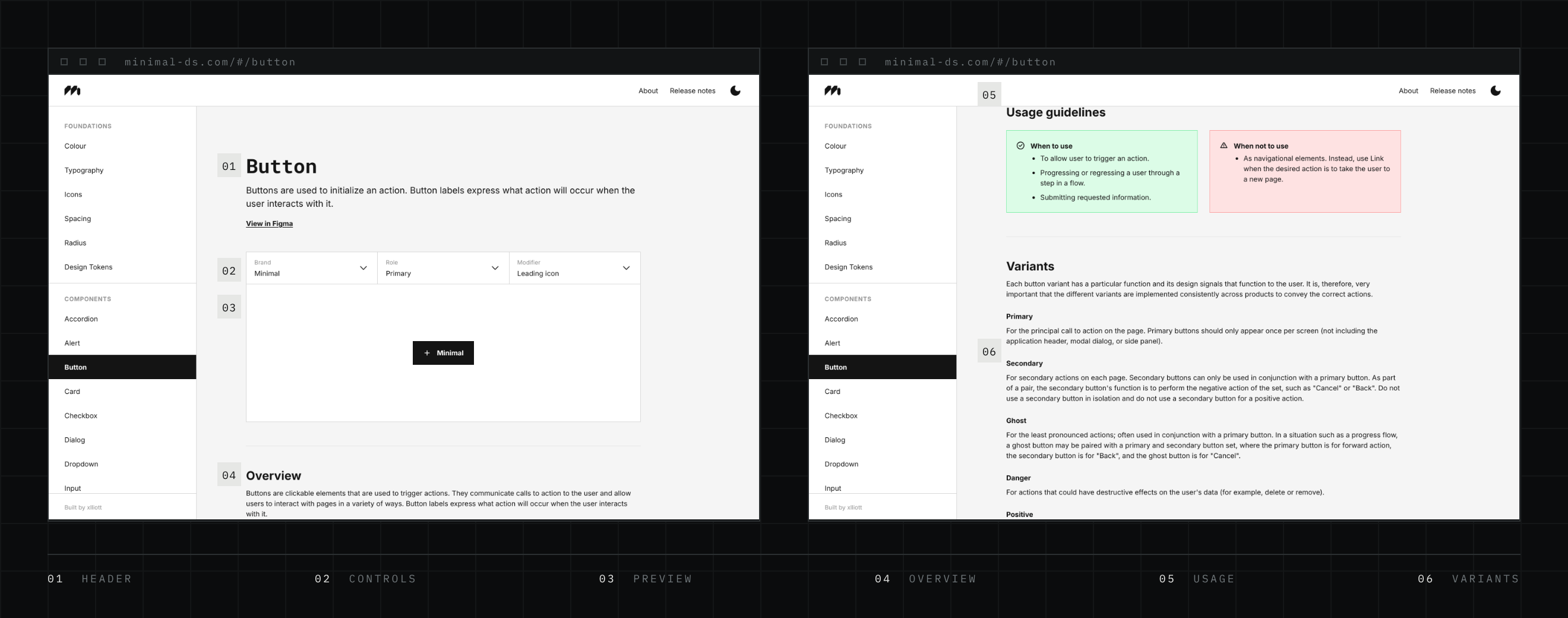
The preview changes brand, the site doesn’t
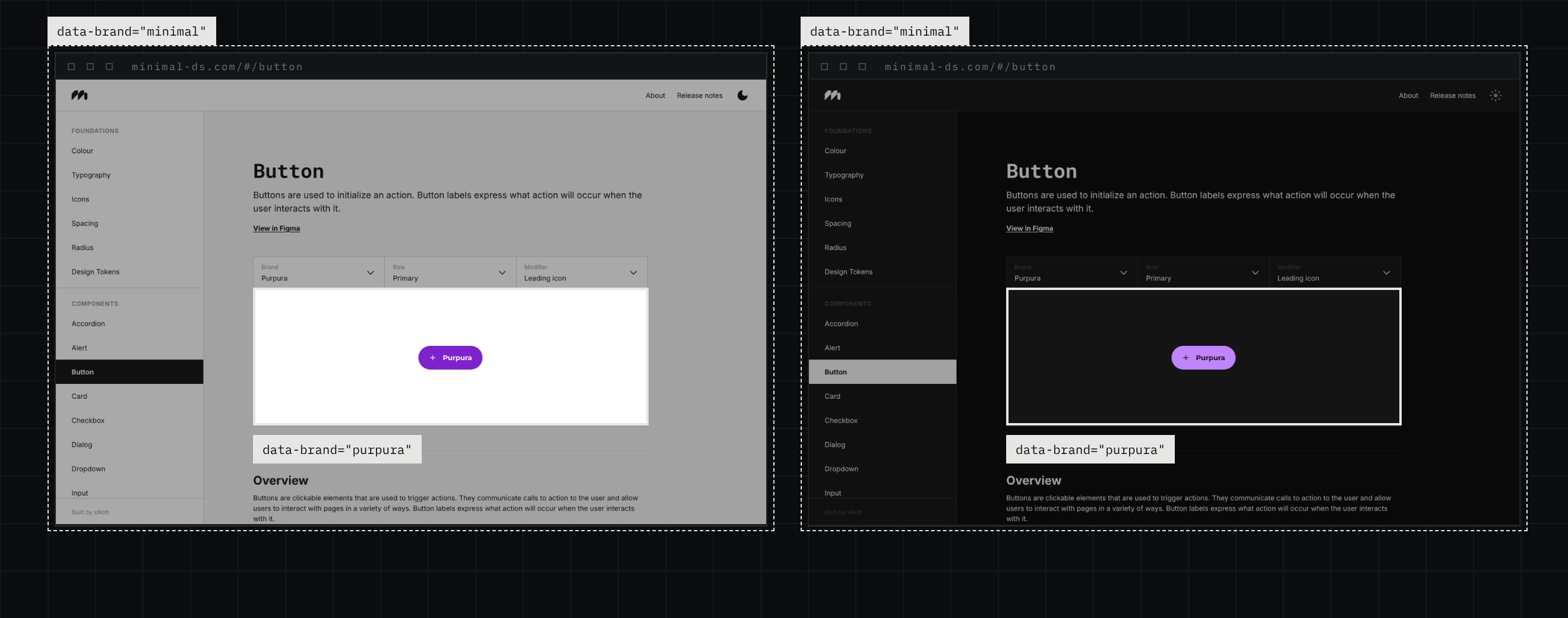
The site itself always wears Minimal, but a reader can preview any component in Purpura or Azure. Rather than building three versions of each component, the preview area sets its own brand on a nested element, and every token inside it resolves again. Light and dark come from the toggle in the top bar and apply everywhere.
The one catch shaped two components. Anything rendered outside the preview, as pop-ups often are, falls back to the default theme. So Dialog and Toast render in place, keeping the brand of whatever they sit in.
Growing the system
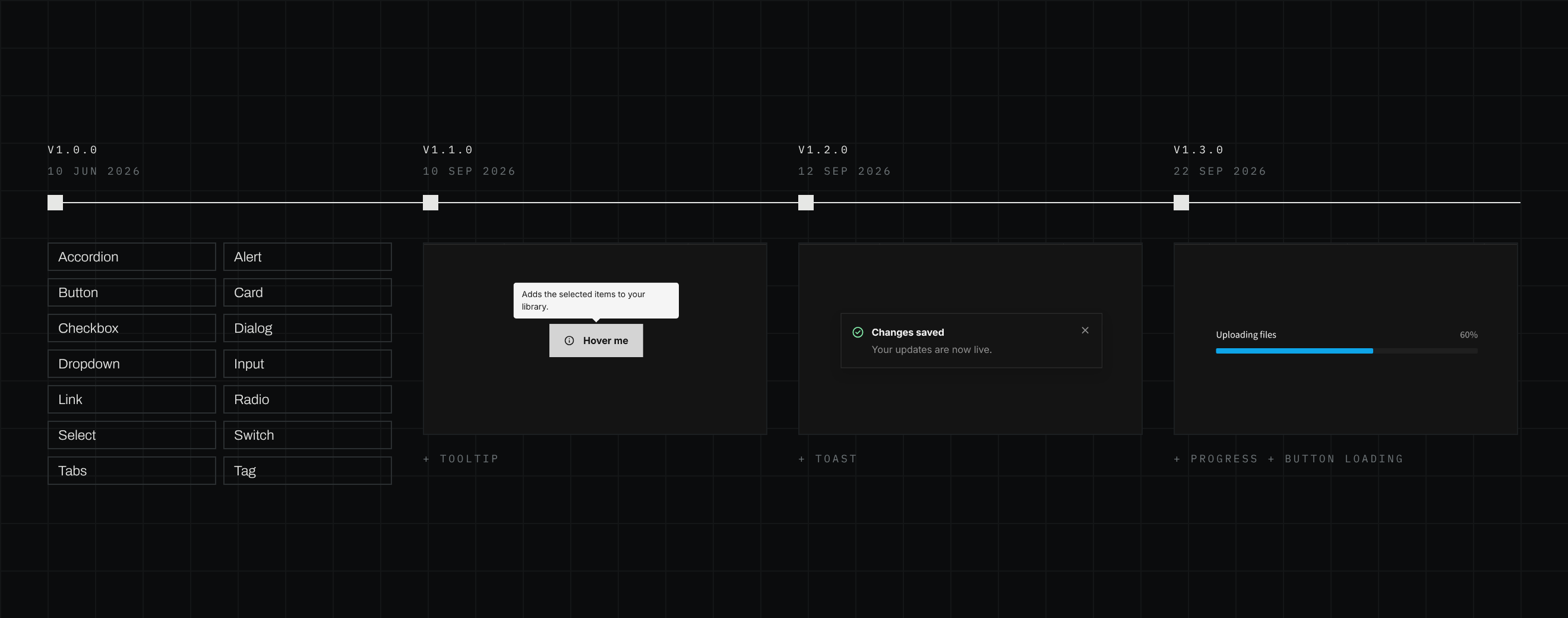
4 releasesVersion 1.0 shipped in June 2026 with three brands, six foundations and fourteen components. Three releases followed in September: Tooltip, then Toast with its own provider and hook, then Progress in linear and circular forms, along with a loading state for Button.
Every release follows the same path, written down in the repository: tokens only, checked in all three brands and both modes, a documentation page, a dated release note and a version bump. The process stays consistent even as the system grows.
Accessible by default, honest about gaps
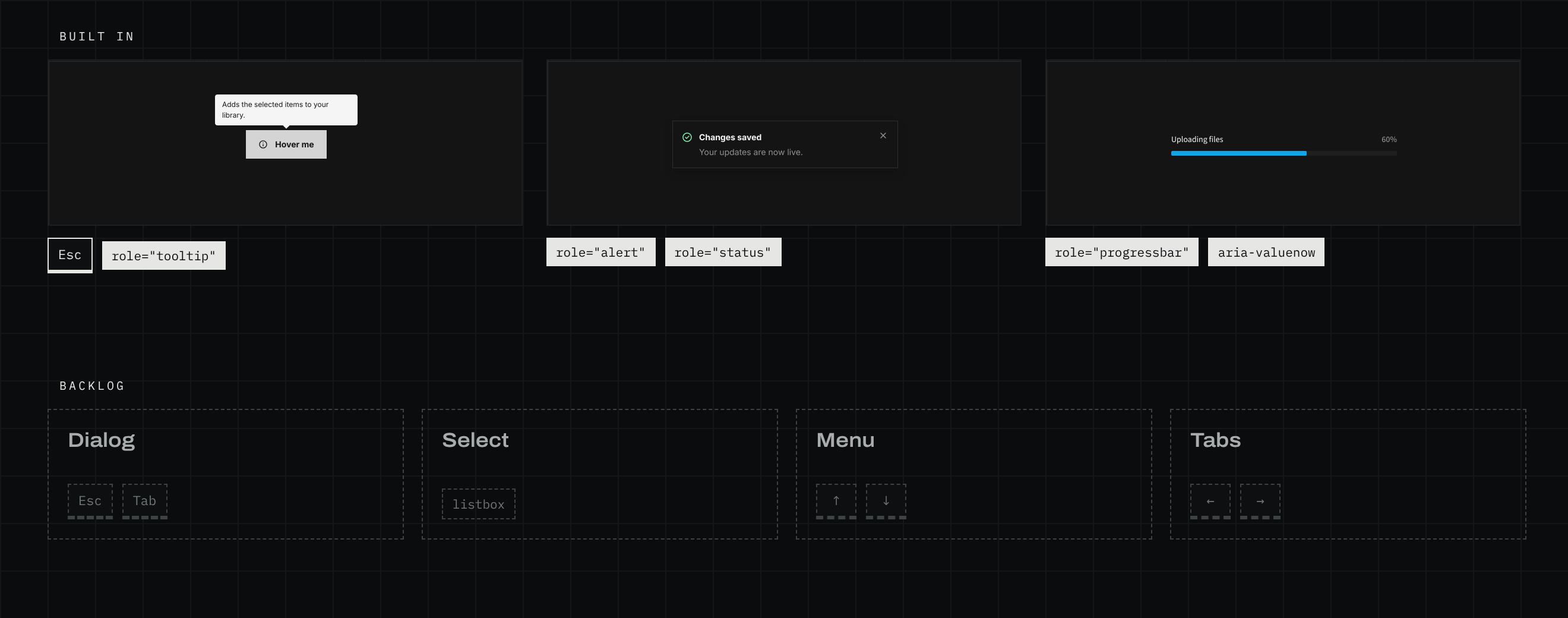
The newer components were designed with accessibility from the start. Tooltip is linked to its trigger and closes with Escape. Toast pauses while you hover or focus it, announces errors straight away and never steals focus. Progress reports its value to assistive technology only when that value is known, and calms its motion when reduced motion is on.
In September I audited the whole system and wrote down where the older components fall short, ranked by value: keyboard dismissal and a focus trap for Dialog, the right list semantics for Select, and arrow-key navigation for Menu and Tabs. A system that tracks its gaps in the open is easier to trust, and easier to fix.
Designed by me, built with Claude
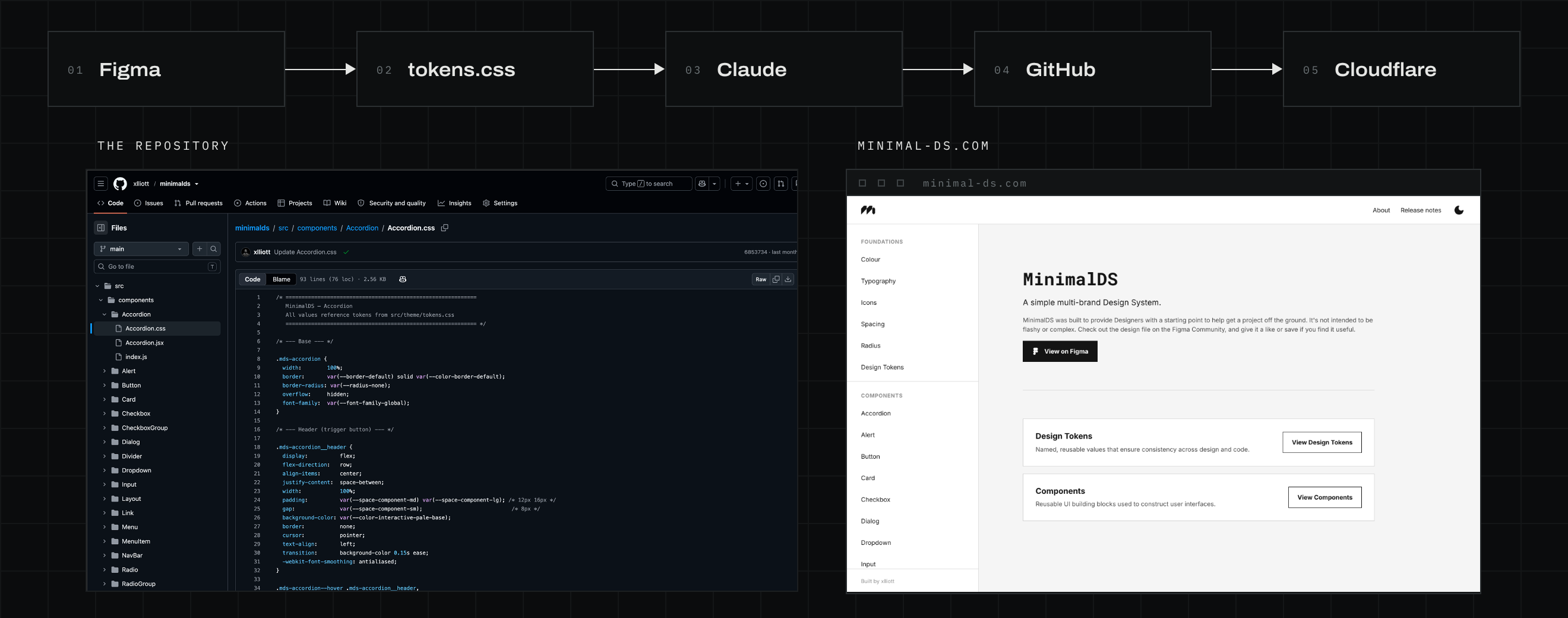
As Claude’s capabilities grew while I was building the Figma library, I saw a chance to go further and publish a documentation site alongside it. I designed every page in Figma, and worked with Claude to learn how to run my own GitHub repository and publish the site through Cloudflare. Claude wrote the code to my designs, and I reviewed the changes.
The conventions are written into the repository: tokens only, consistent class naming, every prop documented, and a five-step checklist for adding a component. That way every build session starts from the same rules, and the system stays consistent however it’s built.
The outcomes
6 recordedMinimalDS began as a Figma file and became a working system: designed in Figma, documented on its own site, and kept in step by one set of tokens.
Result
A design system that lives in Figma and in code at once, where changing a token restyles everything.
A simple multi-brand design system.
Browse the foundations and every component in Minimal, Purpura and Azure, in light and dark, or download the Figma library and build on it yourself.